ふりかえり
前回は、今まで実装した機能を振り返りつつ、今後実装したい機能のロードマップをまとめました。
やるべきことが整理され、開発の見通しがぐっとクリアになりました!
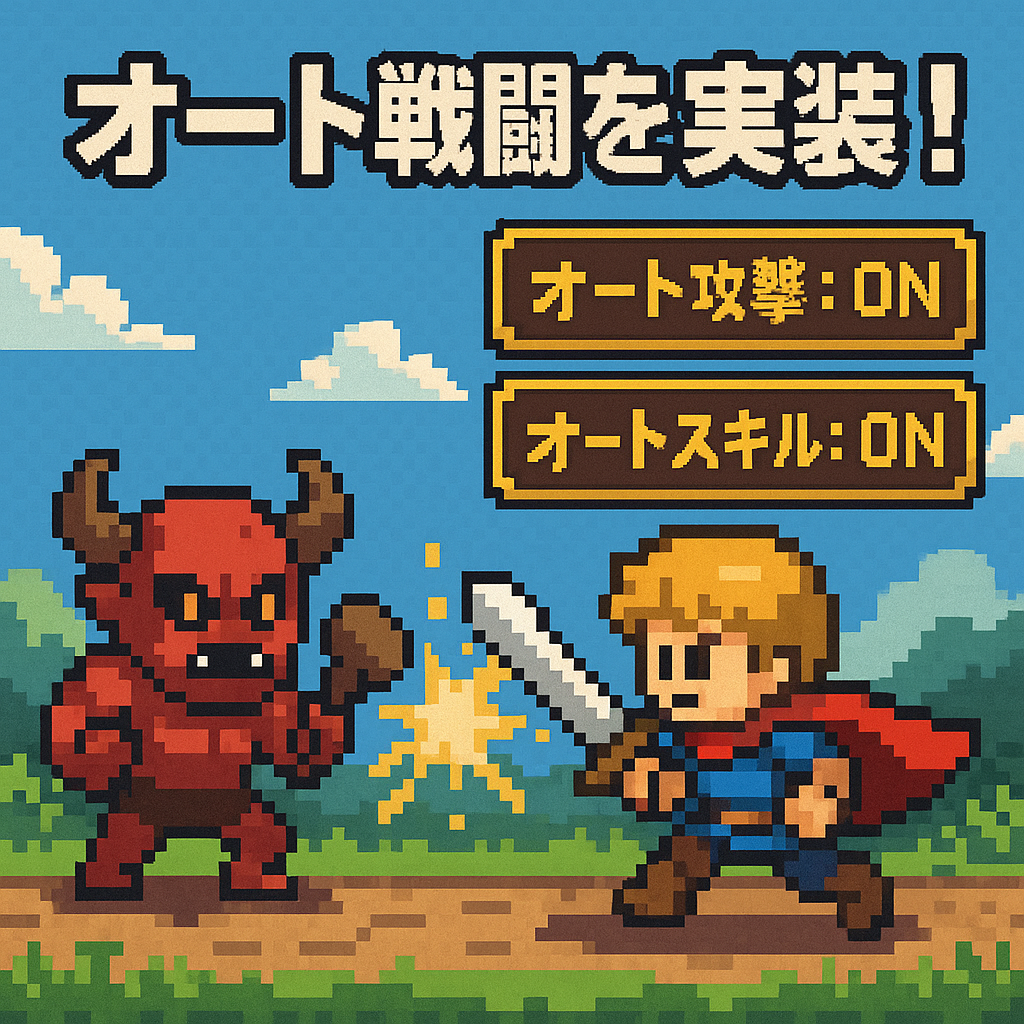
オート戦闘を実装!
今回は「オート戦闘機能」を実装しました!
これまでは手動でタップして攻撃やスキルを使っていましたが、それだと放置ゲームらしさがありません。今後は「放っておいても戦ってくれる」「気づいたら強くなっている」というサイクルを目指します!
そこで、自動で通常攻撃やスキルを発動してくれる仕組みを作りました。
実装のポイント
2種類のオート機能
- オート攻撃:一定間隔で通常攻撃を自動実行
- オートスキル:HPやクールタイムなどの条件に応じて自動でスキル発動
ON/OFFボタンで切り替え可能
それぞれボタンでON/OFFが切り替えられ、ONにすると緑色に変わるようにUIも工夫しました。
スクリプトの変更
AutoBattleManager.cs という新しいスクリプトを用意し、以下のような処理を行います。
- ボタンを押すとON/OFFが切り替わる
- コルーチンで一定時間ごとに攻撃やスキルを試みる
- アニメーション中や敵がいない場合などは何もしないようチェック
- スキルはヒーリング → 強撃 → 全力攻撃の順に優先して使用
- HPが50%以下の時だけヒーリングを使うよう条件分岐も追加
こういった条件を細かく設定することで、無駄撃ちしない賢いオート戦闘を目指しています!
AutoBattleManager.cs
using UnityEngine;
using UnityEngine.UI;
using TMPro;
using System.Collections;

public class AutoBattleManager : MonoBehaviour
{
    [Header("UI References")]
    public Button autoAttackButton; // オート攻撃ボタン
    public Button autoSkillButton; // オートスキルボタン
    public TextMeshProUGUI autoAttackButtonText; // オート攻撃ボタンテキスト
    public TextMeshProUGUI autoSkillButtonText; // オートスキルボタンテキスト

    [Header("Manager References")]
    public BattleManager battleManager;
    public SkillManager skillManager;
    public AnimationManager animationManager;
    public PlayerManager playerManager;
    public EnemyManager enemyManager;

    [Header("オート設定")]
    public float autoAttackInterval = 1.0f; // オート攻撃間隔(秒)
    public float autoSkillCheckInterval = 0.5f; // オートスキルチェック間隔(秒)

    private bool isAutoAttackEnabled = false;
    private bool isAutoSkillEnabled = false;
    private Coroutine autoAttackCoroutine;
    private Coroutine autoSkillCoroutine;

    void Start()
    {
        // ボタンのイベントリスナーを設定
        if (autoAttackButton != null)
        {
            autoAttackButton.onClick.AddListener(ToggleAutoAttack);
        }

        if (autoSkillButton != null)
        {
            autoSkillButton.onClick.AddListener(ToggleAutoSkill);
        }

        // 初期状態を設定
        UpdateButtonTexts();
    }

    void OnDestroy()
    {
        // コルーチンを停止
        StopAutoAttack();
        StopAutoSkill();
    }

    // オート攻撃の切り替え
    public void ToggleAutoAttack()
    {
        isAutoAttackEnabled = !isAutoAttackEnabled;

        if (isAutoAttackEnabled)
        {
            StartAutoAttack();
        }
        else
        {
            StopAutoAttack();
        }

        UpdateButtonTexts();
    }

    // オートスキルの切り替え
    public void ToggleAutoSkill()
    {
        isAutoSkillEnabled = !isAutoSkillEnabled;

        if (isAutoSkillEnabled)
        {
            StartAutoSkill();
        }
        else
        {
            StopAutoSkill();
        }

        UpdateButtonTexts();
    }

    // オート攻撃を開始
    private void StartAutoAttack()
    {
        if (autoAttackCoroutine != null)
        {
            StopCoroutine(autoAttackCoroutine);
        }
        autoAttackCoroutine = StartCoroutine(AutoAttackCoroutine());
    }

    // オート攻撃を停止
    private void StopAutoAttack()
    {
        if (autoAttackCoroutine != null)
        {
            StopCoroutine(autoAttackCoroutine);
            autoAttackCoroutine = null;
        }
    }

    // オートスキルを開始
    private void StartAutoSkill()
    {
        if (autoSkillCoroutine != null)
        {
            StopCoroutine(autoSkillCoroutine);
        }
        autoSkillCoroutine = StartCoroutine(AutoSkillCoroutine());
    }

    // オートスキルを停止
    private void StopAutoSkill()
    {
        if (autoSkillCoroutine != null)
        {
            StopCoroutine(autoSkillCoroutine);
            autoSkillCoroutine = null;
        }
    }

    // オート攻撃のコルーチン
    private IEnumerator AutoAttackCoroutine()
    {
        while (isAutoAttackEnabled)
        {
            // アニメーション中でない場合のみ攻撃を実行
            if (animationManager == null || !animationManager.IsAnyAnimationPlaying())
            {
                // プレイヤーと敵が存在し、敵が生きている場合のみ攻撃
                if (playerManager != null && enemyManager != null &&
                    playerManager.player != null && enemyManager.enemy != null &&
                    enemyManager.enemy.currentHP > 0)
                {
                    // プレイヤーのターンの時のみ攻撃を実行
                    if (battleManager != null && battleManager.IsPlayerTurn())
                    {
                        // 通常攻撃を実行
                        battleManager.PlayerAttack();
                    }
                }
            }

            yield return new WaitForSeconds(autoAttackInterval);
        }
    }

    // オートスキルのコルーチン
    private IEnumerator AutoSkillCoroutine()
    {
        while (isAutoSkillEnabled)
        {
            // アニメーション中でない場合のみスキルチェックを実行
            if (animationManager == null || !animationManager.IsAnyAnimationPlaying())
            {
                // プレイヤーと敵が存在し、敵が生きている場合のみスキルチェック
                if (playerManager != null && enemyManager != null &&
                    playerManager.player != null && enemyManager.enemy != null &&
                    enemyManager.enemy.currentHP > 0)
                {
                    // プレイヤーのターンの時のみスキルを実行
                    if (battleManager != null && battleManager.IsPlayerTurn())
                    {
                        // 使用可能なスキルをチェックして実行
                        CheckAndUseSkill();
                    }
                }
            }

            yield return new WaitForSeconds(autoSkillCheckInterval);
        }
    }

    // 使用可能なスキルをチェックして実行
    private void CheckAndUseSkill()
    {
        if (skillManager == null || battleManager == null) return;

        // スキルの優先順位を定義(ヒーリング → 強撃 → 全力攻撃)
        int[] skillPriority = { 2, 0, 1 }; // ヒーリング、強撃、全力攻撃の順

        foreach (int skillIndex in skillPriority)
        {
            var skillData = skillManager.GetSkillData(skillIndex);
            if (skillData == null) continue;

            // スキルが解放されているかチェック
            if (!skillManager.IsSkillUnlocked(skillIndex)) continue;

            // クールタイムが0かチェック
            if (skillData.currentCooldown > 0) continue;

            // ヒーリングスキルの場合、HPが低い時のみ使用
            if (skillIndex == 2) // ヒーリングスキル
            {
                if (playerManager.player.currentHP >= playerManager.player.maxHP * 0.5f)
                {
                    continue; // HPが50%以上ならヒーリングは使用しない
                }
            }

            // スキルを使用
            battleManager.PlayerUseSkill(skillIndex);
            break; // 1つのスキルを使用したら終了
        }
    }

    // ボタンテキストを更新
    private void UpdateButtonTexts()
    {
        if (autoAttackButtonText != null)
        {
            autoAttackButtonText.text = isAutoAttackEnabled ? "オート攻撃: ON" : "オート攻撃: OFF";
        }

        if (autoSkillButtonText != null)
        {
            autoSkillButtonText.text = isAutoSkillEnabled ? "オートスキル: ON" : "オートスキル: OFF";
        }

        // ボタンの色も変更
        if (autoAttackButton != null)
        {
            var colors = autoAttackButton.colors;
            colors.normalColor = isAutoAttackEnabled ? Color.green : Color.white;
            autoAttackButton.colors = colors;
        }

        if (autoSkillButton != null)
        {
            var colors = autoSkillButton.colors;
            colors.normalColor = isAutoSkillEnabled ? Color.green : Color.white;
            autoSkillButton.colors = colors;
        }
    }

    // オート攻撃が有効かどうかを取得
    public bool IsAutoAttackEnabled()
    {
        return isAutoAttackEnabled;
    }

    // オートスキルが有効かどうかを取得
    public bool IsAutoSkillEnabled()
    {
        return isAutoSkillEnabled;
    }

    // オート攻撃を強制停止
    public void ForceStopAutoAttack()
    {
        isAutoAttackEnabled = false;
        StopAutoAttack();
        UpdateButtonTexts();
    }

    // オートスキルを強制停止
    public void ForceStopAutoSkill()
    {
        isAutoSkillEnabled = false;
        StopAutoSkill();
        UpdateButtonTexts();
    }

    // 全てのオート機能を停止
    public void StopAllAuto()
    {
        ForceStopAutoAttack();
        ForceStopAutoSkill();
    }
}
Unityでの設定
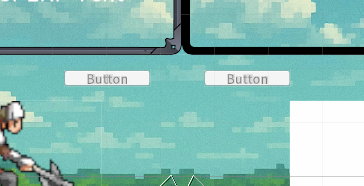
- オート用のボタン2つ(攻撃・スキル)をUIに配置
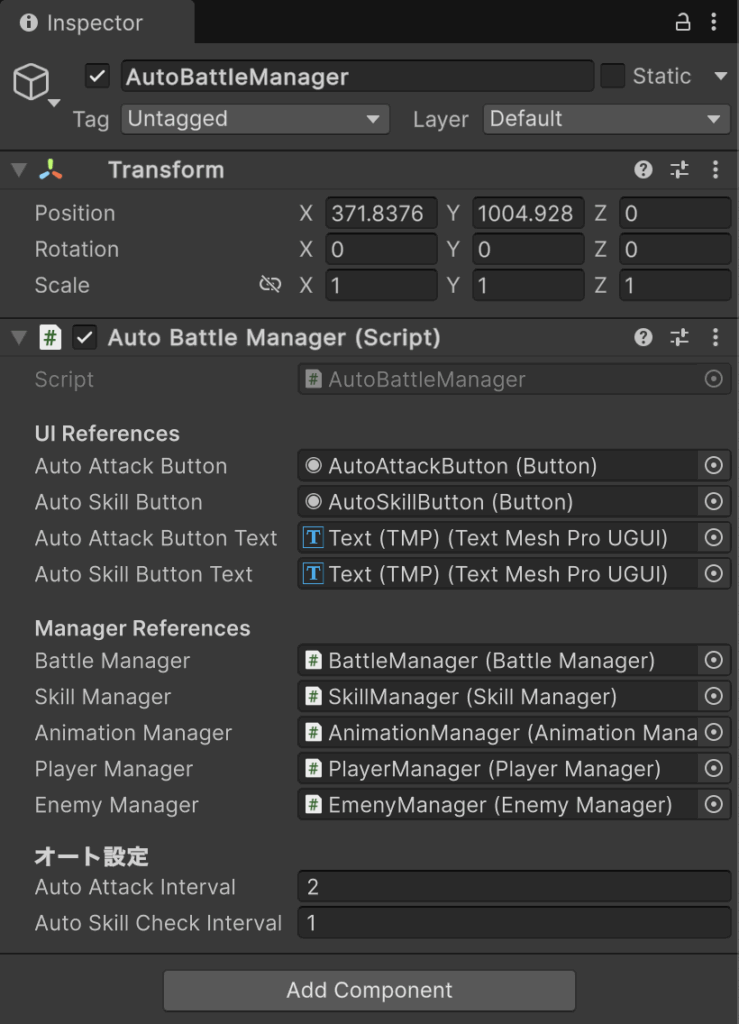
- AutoBattleManager.cs をGameObjectにアタッチ
- 各種Manager(BattleManagerやSkillManagerなど)をInspectorで紐付け
- 攻撃やスキルの間隔もInspector上で調整できるようにしました
動作確認
- オートスキル: スキルが使えると自動で発動!
- オート攻撃: スキルが使えない時に通常攻撃!
プレイヤーが何もしなくてもどんどん戦ってくれて、ようやく「放置RPG」としての第一歩を踏み出せました!
まとめ
今回は「オート戦闘」機能を実装しました!
プレイヤーが画面に張り付かずともキャラが自動で戦ってくれるので、快適さが一気にアップしました。戦闘のテンポもよくなり、いよいよゲームの完成が近づいてきました!
次回予告
次回はステージ数をどんどん追加して、バトルに変化をもたせていきたいと思います!
お楽しみに!